
.png)
Description
Download Xbox Games Pass – PC Gaming Subscription, Unlimited Games, Cross‑Play
Overview
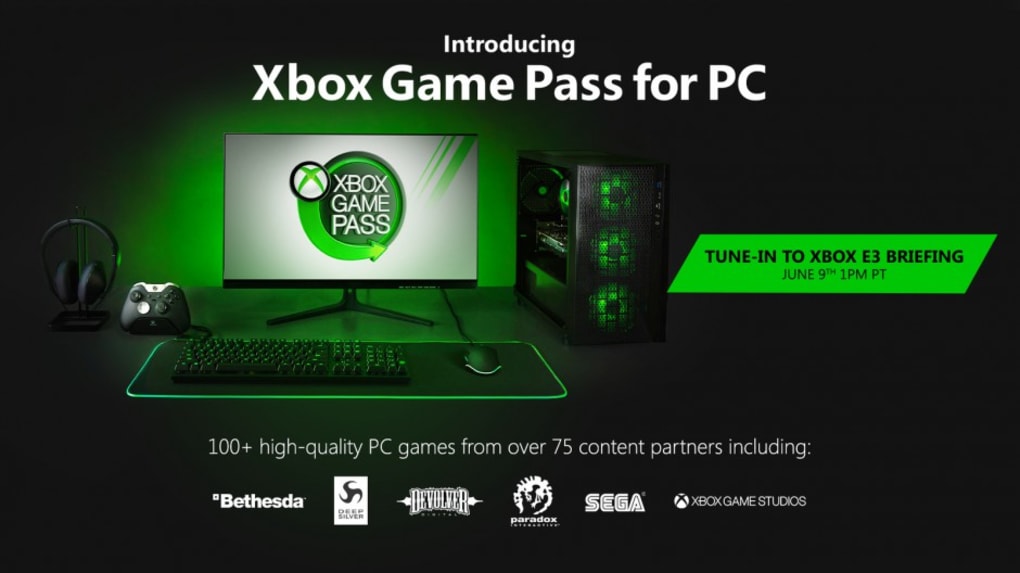
Xbox Games Pass for PC is Microsoft’s flagship subscription service that gives gamers instant access to a constantly refreshed library of high‑quality Windows titles. Launched after the original Xbox One‑only version, the PC‑focused catalog now holds more than 100 premium games from both first‑party studios and renowned third‑party partners such as Bethesda, Sega, Devolver Digital, Paradox Interactive and Deep Silver. Subscribers can download any title in the library, play it locally at full fidelity, and enjoy automatic updates without the latency or bandwidth constraints of cloud streaming. The service also bundles valuable extras: exclusive discounts on game purchases and downloadable content, a built‑in Xbox Game Bar for overlay features, voice and text chat, a “Looking For Group” system, friends lists and robust cross‑play support that lets players on different platforms join the same multiplayer session. While a constant internet connection is required to verify an active subscription, progress is stored securely in the cloud, allowing seamless transitions between devices. Xbox Games Pass therefore acts as a one‑stop shop for gamers who want the newest releases, a rotating selection of classics, and a unified community that bridges console and PC ecosystems.
Key Features, Pros & Cons
Feature List
- Unlimited access to a library of 100+ high‑quality PC games.
- Full‑resolution local downloads that run without streaming lag.
- Regularly updated catalog with new releases from Xbox Game Studios and partners.
- Exclusive subscriber discounts on games and add‑ons.
- Integrated Xbox Game Bar for quick overlays, performance stats, and social tools.
- Voice and text chat, friends lists, and “Looking For Group” matchmaking.
- Cross‑play support across Xbox consoles, Windows PCs, and supported mobile devices.
- Cloud‑saved progress that syncs across all devices.
- Early access to select upcoming titles for members.
- Family sharing options for multiple accounts under a single subscription.
Pros
- Cost‑effective way to play a large library of AAA and indie titles.
- Local downloads ensure stable performance regardless of internet speed.
- Cross‑play breaks down platform barriers and expands multiplayer pools.
- Frequent updates keep the catalog fresh and exciting.
- Integrated social features streamline communication without third‑party tools.
Cons
- Requires an active internet connection for subscription verification.
- Games can be removed from the catalog, limiting long‑term access.
- Only available on Windows; no native macOS or Linux client.
- Some high‑end titles demand powerful hardware for optimal performance.
- Subscription cost adds to the overall monthly gaming budget.
Xbox Games Pass for PC delivers exceptional value for both casual and hardcore gamers. The blend of new releases, timeless classics, and cross‑play functionality creates a vibrant, ever‑evolving library. While the need for a constant internet connection and occasional game removals are drawbacks, the overall experience is polished, secure, and well‑integrated with Microsoft’s ecosystem. For anyone seeking a hassle‑free way to explore a broad spectrum of titles without breaking the bank, Xbox Games Pass stands out as a top‑tier subscription service.
Installation, Usage & Compatibility
How to Install Xbox Games Pass on Windows
Getting started with Xbox Games Pass is straightforward. First, visit the official Microsoft Store or the Xbox website and download the “Xbox app for Windows.” After installing the client, sign in with your Microsoft account, or create a new one if you don’t already have one. Navigate to the “Xbox Game Pass” tab, select the PC subscription tier, and complete the purchase using a credit card, PayPal, or a Microsoft gift card. Once the subscription is active, you’ll see the full library displayed in the “Games” section. Click any title, press “Install,” and the app will handle the download and installation automatically. The client also manages updates, ensuring each game stays current without manual intervention. For the best experience, enable automatic updates in the app settings and allocate sufficient storage space—most modern titles require at least 50‑100 GB.
System Requirements (Operating System)
Xbox Games Pass is optimized for Windows 10 (version 1809 or later) and Windows 11. The service leverages DirectX 12 and Xbox‑specific APIs, so a compatible graphics card (NVIDIA GTX 1060 / AMD Radeon RX 580 or newer) and at least 8 GB of RAM are recommended for smooth gameplay. While the Xbox app can run on lower‑end hardware, performance may vary with demanding titles.
Frequently Asked Questions
Can I use Xbox Games Pass on a Mac?
No, the current Windows client does not support macOS. However, you can stream games via Xbox Cloud Gaming (Beta) on a Mac using a web browser.
Do I need an Xbox console to use the service?
No. The PC subscription works independently of any Xbox console, though you can share a subscription across both platforms if you own an Xbox.
What happens to my saved progress if a game is removed from the catalog?
Your save data remains stored in the cloud, but you won’t be able to launch the game until it returns to the library or you purchase it separately.
Is there a free trial available?
Microsoft often offers a 14‑day free trial for new users. Check the Xbox website for current promotional periods.
Can I cancel my subscription at any time?
Yes. Subscriptions are month‑to‑month and can be cancelled through your Microsoft account dashboard. Access to the library ends at the close of your billing cycle.
Conclusion & Call to Action
Xbox Games Pass for PC stands out as a comprehensive, secure, and continuously evolving subscription that caters to a wide spectrum of gamers. By delivering a curated library of AAA blockbusters, indie gems, and exclusive discounts, it offers unparalleled value for the monthly price. The seamless integration with the Xbox ecosystem, robust cross‑play capabilities, and the convenience of local downloads combine to create a frictionless gaming experience that rivals traditional purchase models. While the necessity of an ongoing internet connection and the occasional removal of titles are valid considerations, the overall package remains highly attractive. Whether you’re a veteran looking to explore new releases without the upfront cost or a newcomer eager to dip your toes into a variety of genres, Xbox Games Pass provides a risk‑free gateway to a vibrant gaming world. Ready to level up your PC library? Click the button below to download Xbox Games Pass now and start your free trial today!
Guides & Tutorials for Xbox Games Pass
How to install Xbox Games Pass
- Click the Preview / Download button above.
- Once redirected, accept the terms and click Install.
- Wait for the Xbox Games Pass download to finish on your device.
How to use Xbox Games Pass
This software is primarily used for its core features described above. Open the app after installation to explore its capabilities.
User Reviews for Xbox Games Pass 0
No reviews found




